
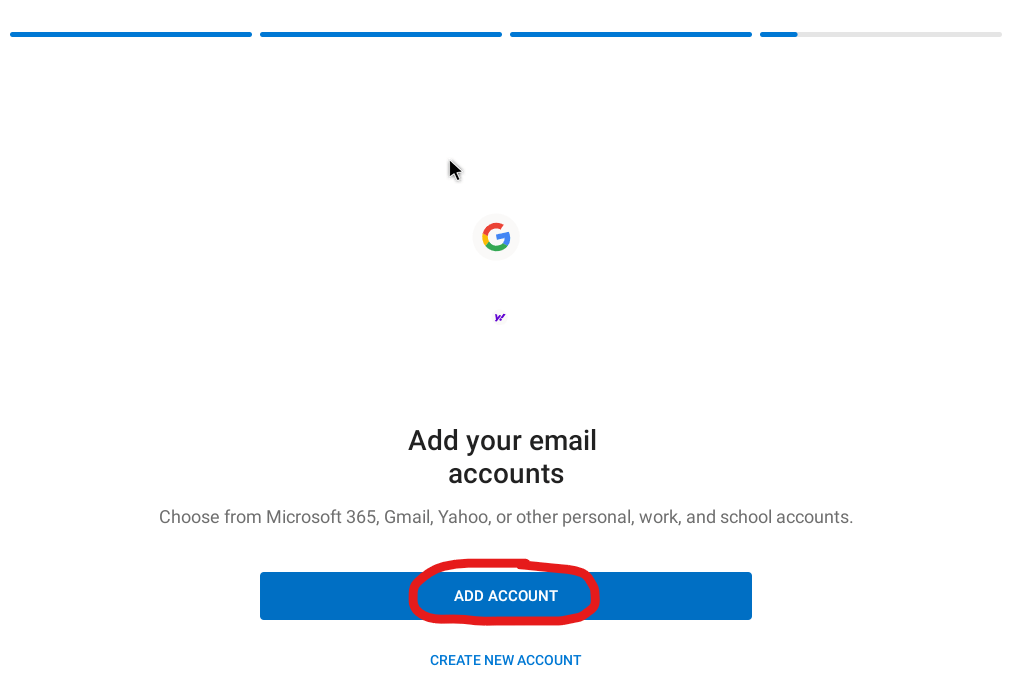
If its your first time opening the app. Tap Add Account.

If its not your first time within the app. Tap on the gear in the bottom left.

Tap Add mail account
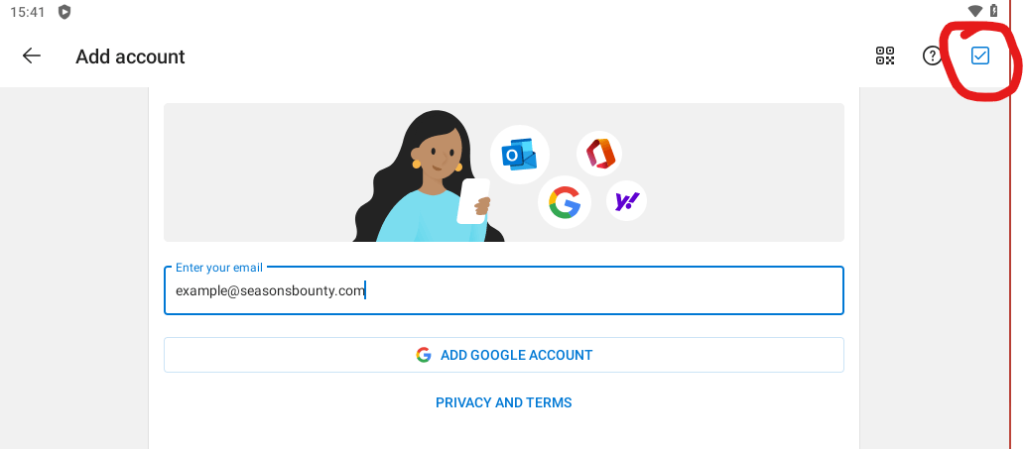
Type in your email address
Tap the blue tick in the top right to continue

Type in your password, your name as the Display name and a description for your email.
If you are unsure what to set as a description I recommend just typing in the email address.
At the bottom then tap the switch for advance settings
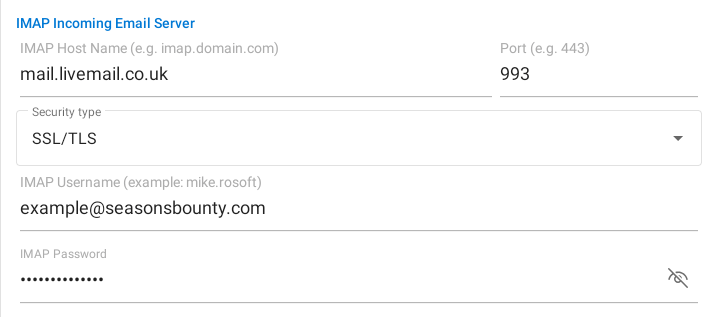
Now put in the following info
Incoming Email Server
| Server | mail.livemail.co.uk |
| Port | 993 |
| Encryption Method | SSL/TLS |
| Username | Email address |
| Password | Password |
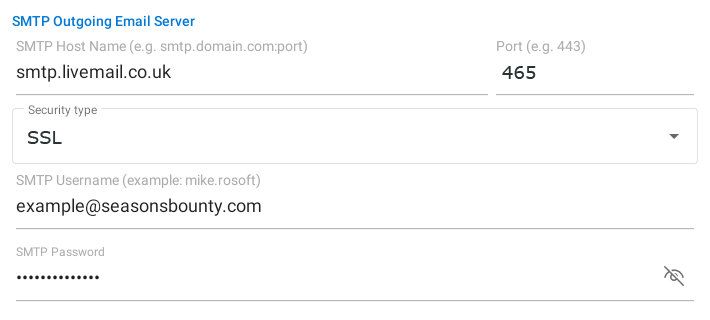
Outgoing Email Server
| Server | smtp.livemail.co.uk |
| Port | 465 |
| Encryption Method | SSL |
| Username | Email address |
| Password | Password |

Alternative Outgoing Email Server
If port 465 is blocked
| Server | smtp.livemail.co.uk |
| Port | 587 |
| Encryption Method | StartTLS |
| Username | Email address |
| Password | Password |

Tap on the tick in the top right to continue

It will ask if you want to add another account. Tap Maybe Later.
