
As we are an indirect reseller, Microsoft requires that certain sensitive information, like billing details, be updated directly by the customer. This means we are unable to make these changes on your behalf.
This guide will help you find the setting in order to update your payment details. If you have multiple license types you may need to repeat the steps as billing is done per licence.
Login to the 365 Admin Center at: https://admin.microsoft.com/
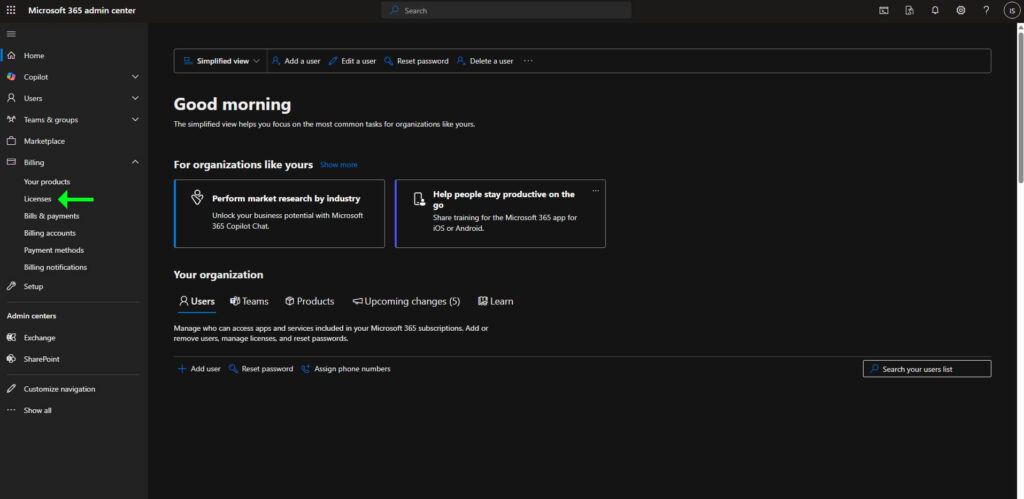
In the left sidebar, go to Billing -> Licenses
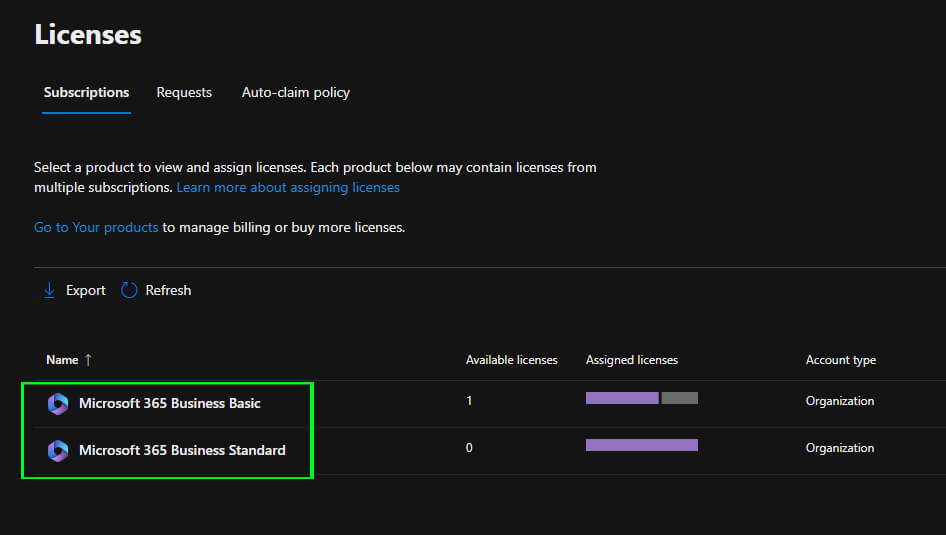
You will now see a list of different licenses on your account. Click on the one you want to update your billing info on
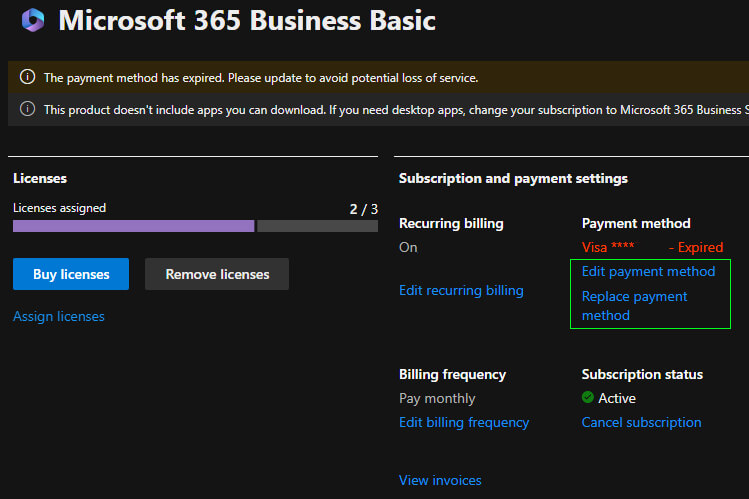
Click on the “Manage subscription details” link

Click on the “Edit payment method” or “Replace payment method” link
Please follow and complete the on screen instructions that Microsoft gives to update your billing info.
Please note: If you have multiple license types you may need to repeat the steps as billing is done per license.
